

Your way, connected
Bring your way of working to life.
Set the offer, apply booking policies and follow the financial records. Configure a dedicated app for the same services your team delivers.
Existing configuration options. A dedicated app included.
Your business, connected
The whole picture.
The details that matter.
Your rhythm
Schedule
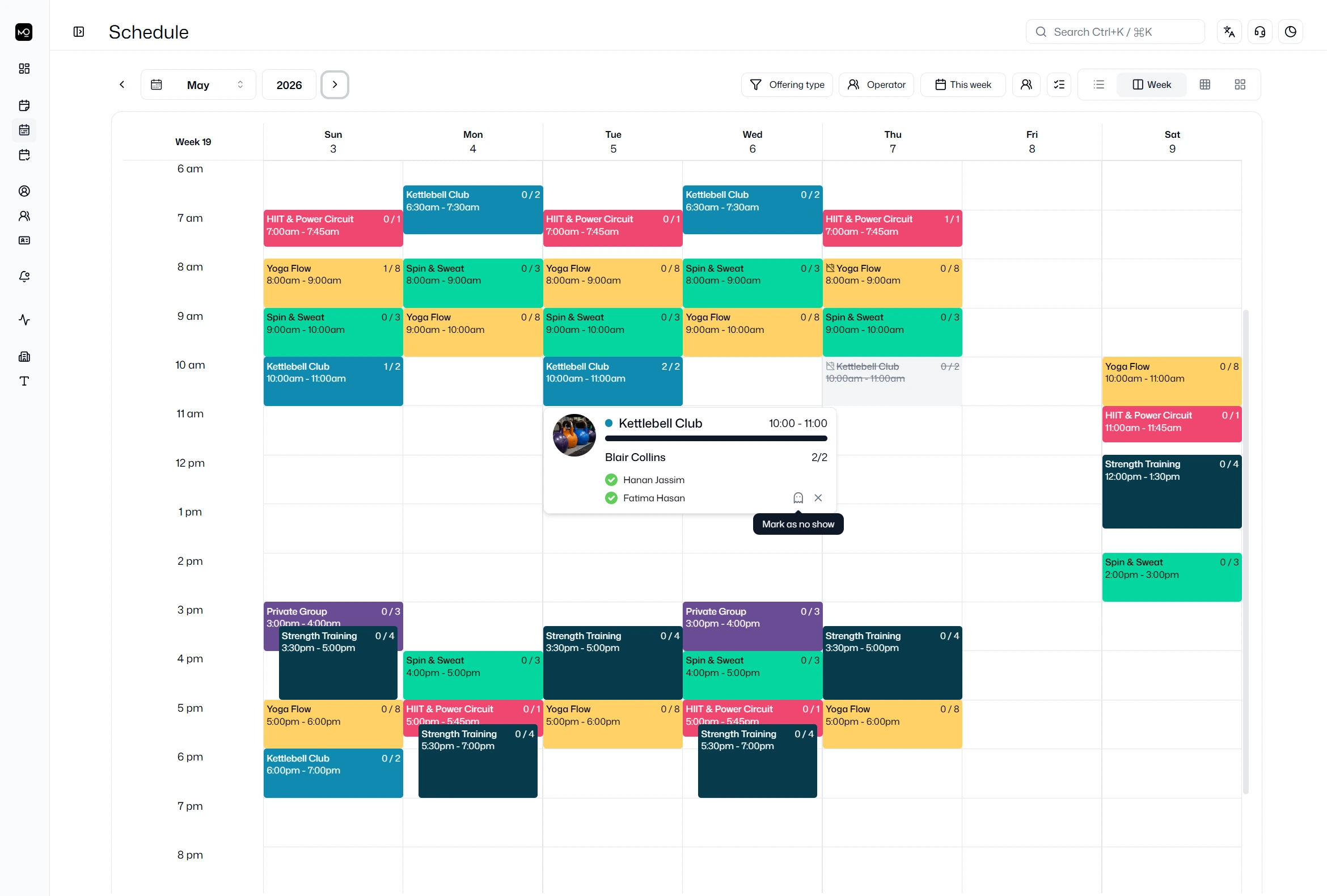
Plan classes and appointments with availability, waitlist automation and booking policies your team can apply.
Explore schedule →Your relationships
Manage
Combine credit, term and billing choices. Manage membership changes alongside client notes, agreements and team access.
Explore manage →Your business
Bill
Invoice services and retail, collect eligible invoices together, and follow payments, balances and adjustments.
Explore bill →Your identity
Connect
Shape a branded app around your clients. Arrange its home widgets, highlight services and share timely updates.
Explore connect →Your perspective
Understand
Review invoiced and collected amounts, membership revenue and booked capacity. Export the records behind your decisions.
Explore understand →One illustrative studio setup
Follow a place from cancellation to booking.
A full class has a waitlist. A place opens before start, and the next client’s current eligibility determines what happens next.
Illustrative studio setup · not a customer story
- The offer
A full class
An eligible member joins the waitlist without a credit debit.
No place available - The next visit
A place opens
A cancellation before class start allows the queue to be checked.
Timing + current eligibility - The shared record
The next eligible waiter
Promotion confirms the booking, records its credit cost and triggers the update.
Booking + credit + notification
Membership and service bills, payment records and balances stay connected to the operation. Credit returns follow the configured cancellation policy; cash refunds remain a separate billing action.
Built around the way you operate.
Built around the way you operate.
Combine different service credit costs, membership terms and billing periods. Apply capacity, availability and cancellation policies to the booking that follows.
- Classes and individual appointments
- Memberships, credits and booking eligibility
- Capacity, waitlists and cancellation policies
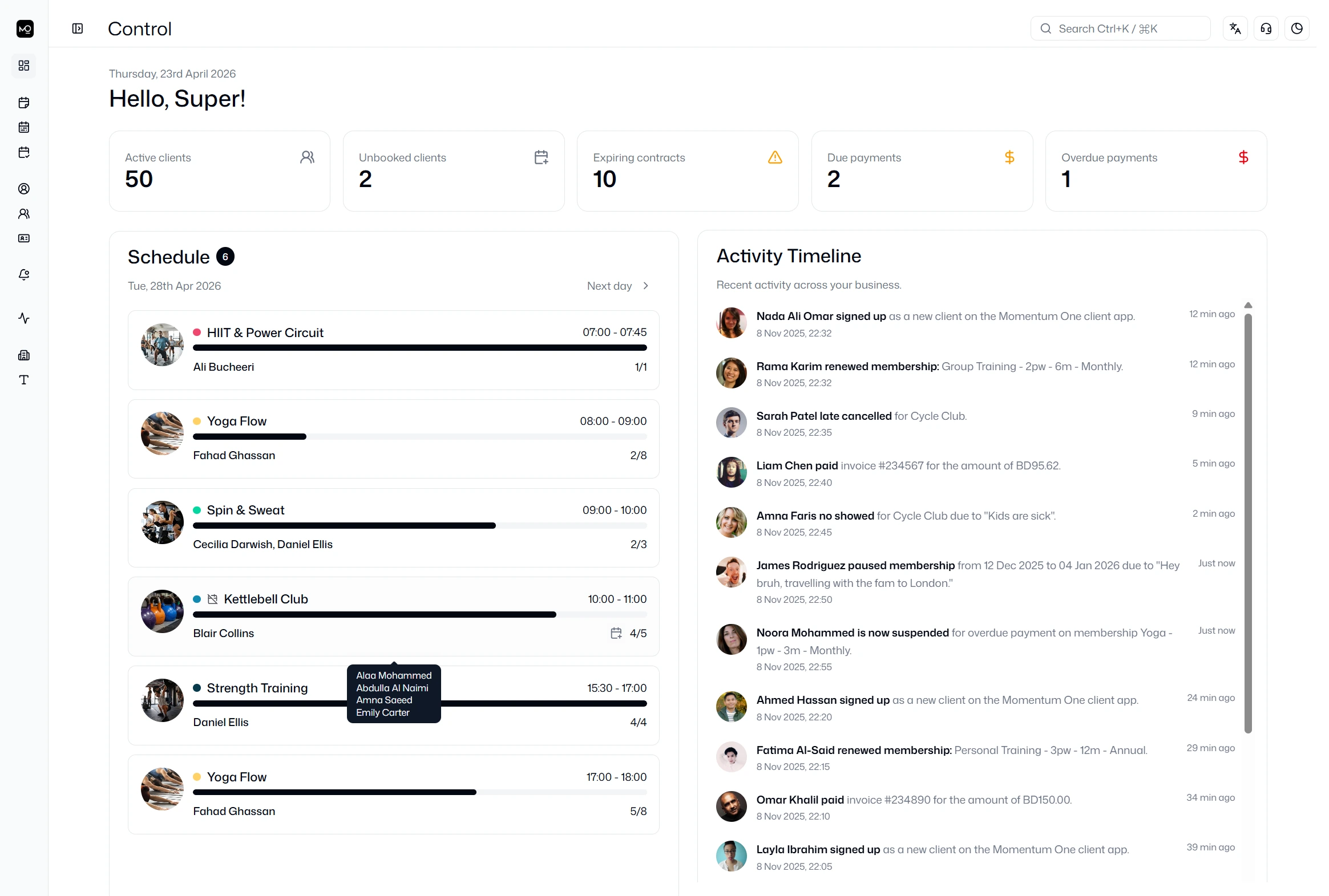
Bring the business into view.
Bring the business into view.
Review client notes and agreements alongside invoices and payment history. Roles control staff access; authorised locations and report filters keep the view relevant.
- Client records and team permissions
- Billing, payment records and retail inventory
- Pulse dashboards, reports and exports
Your identity, in your clients’ hands.
Your identity, in your clients’ hands.
Arrange supported Home widgets, greetings and banners around your priorities. Clients can discover services, book, review memberships and receive scheduled announcements.
- Dedicated app with configurable Home widgets
- Service discovery and client self-service
- Selected audiences and scheduled announcements
New in Momentum One
Payroll is here.
Calculate salary, hourly, session, participant and commission earnings. Review calculation details and issues, then export the result. Payroll is included in Complete; activation is confirmed for your setup.
Explore Payroll →How much can we configure?
Set membership terms, credits, booking policies, payment options and app appearance around your services. We will walk through the relevant configuration with you during the demo and onboarding.
Can we support several locations?
Authorised teams can work across locations and supported reporting scopes. One branded app can serve multiple mapped locations. Complete covers one location per subscription; additional-location terms are agreed separately.
Can one client act for another?
Enabled Managed Access lets a signed-in client switch to an authorised managed profile. Bookings and memberships stay separate. Explore client management →
What can we check in a demo?
Bring a normal journey and an exception: a pause, waitlist promotion, consolidated collection or instructor earning. We will show the workflow and confirm availability for your setup.
Your way forward
Test the workflow that matters to you.
Bring your services and one operating exception. See the records and controls behind the outcome.